One AI assistant for every product in a labeling ecosystem
- 2 design rounds
- AI Tools
- Component System
enLabel makes labeling software for heavily regulated industries. I designed its AI experience twice: first as a one-shot label generator on a marketing site, then as one chat component for three products.
e-Draw: data-driven label design, free and not yet officially launched. IPM: artwork and data management for labels. eIFU: document publication, distribution and compliance, mainly for medical devices.
In February–March 2026, I was assigned a one-shot project to add onto the e-Draw marketing site, as enLabel began exploring AI in its products. A visitor describes a label on the site, then opens the result in the editor. I worked through three placements in Figma, prototyped the front end with Claude and handed it to a developer to connect to our LLM.
I didn’t start from zero. Going in, I drew on background knowledge from my past AI work and some light research:
Prior testing
AI tools and patterns
Human-AI studies
Products and rules
Interactive demo. Generation is mocked with a timer, so every prompt returns the same sample label.
One prompt, three labels, then sign up
- 1 Prompt: describe a label, or start from a suggestion
- 2 Generate: a progress bar while three options fill in
- 3 Choose: pick the label to continue with
- 4 Open in e-Draw: the chosen label opens in e-Draw first, and users only sign up if they want to save or keep editing the AI's output
The order also served the business goal. The site needed visitors to try e-Draw and sign up, so I showed value before asking for anything: people see a real label first, and sign up only if they want to keep it.
Then it stopped. Priorities shifted during the build and the generator never launched, which means the sign-up order was never tested.
In summer 2026, I returned to the project, and the scope grew: one reusable chat component that could be integrated into all three products. Each product asks something different of AI, so the part they share had to be the interaction shell, with behavior set per product.
The bigger brief needed a wider evidence base. enLabel had no approved AI requirements and no recorded e-Draw user research, so I built the evidence from what I could reach.
Figma, Canva, v0 Chat captures intent, and the canvas is where people inspect and edit. Selection scopes the prompt. Prompt from the selected object, and keep manual tools beside chat
21 CFR 820.45, AI Act Art. 50 Device manufacturers must examine labeling before release, and people must be told when they're interacting with AI. My reading: keep AI output as a marked draft until a person releases it
Very experienced radiologists' accuracy with correct vs. incorrect AI suggestions. Sham AI, small subgroup (Dratsch 2023)
of cited AI answers were actually checked, and citations raised trust even when random. Low-stakes study (Ding 2025)
hallucination rate in commercial legal research AI, lower than GPT-4 but far from zero. Tools have since changed (Magesh 2025)
AI can be leveraged to explore, draft, and check for errors, but a qualified person must have final say in acceptance.
When I picked the project back up, my wireframes were built specifically for e-Draw. I focused on making the interactions very clear, especially scoping exactly where the AI would look and what it would touch.
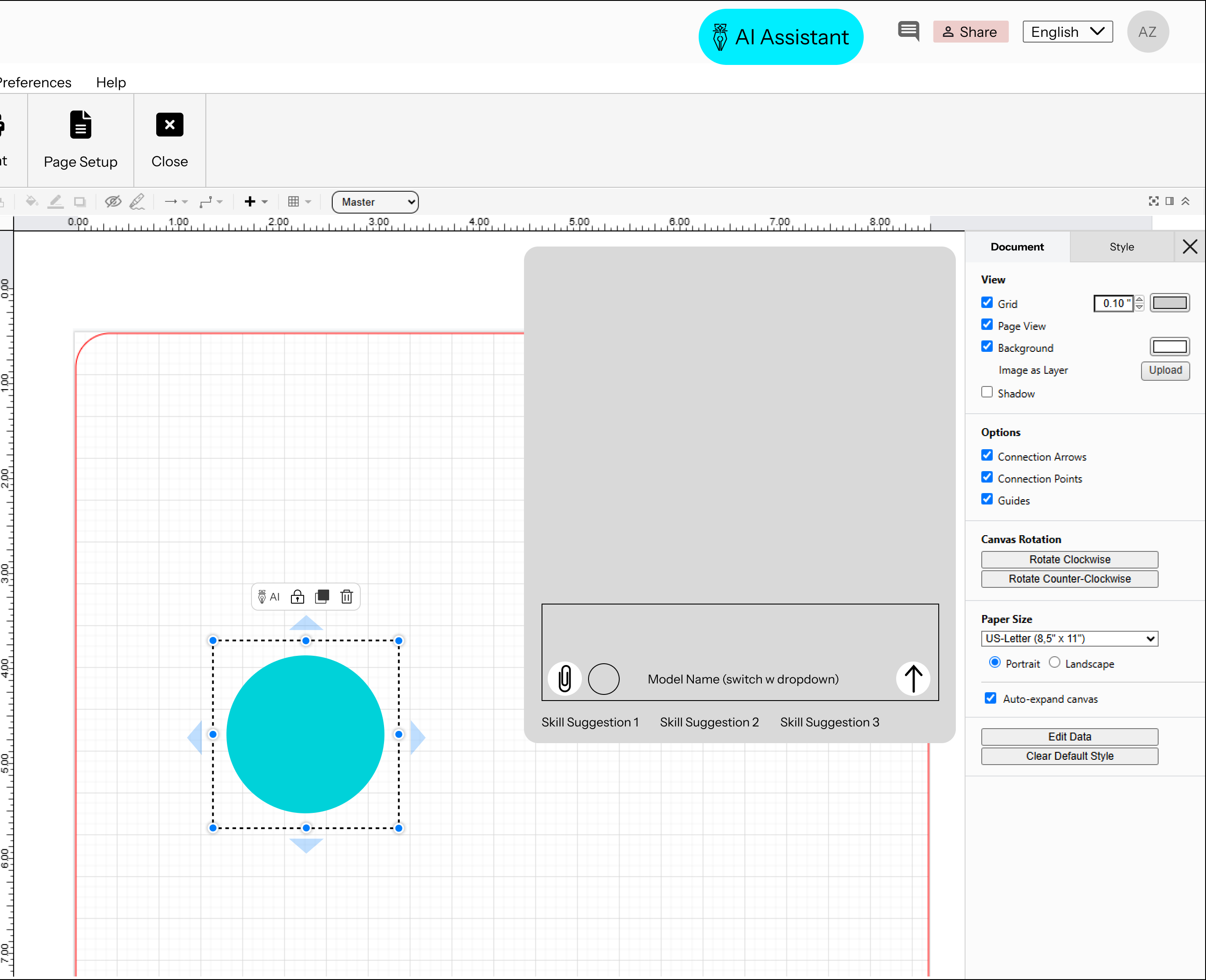 BEFORE
A header button and a fixed panel
My first placement study put a loud AI button in the app header, opening a fixed block with skill suggestions under the composer.
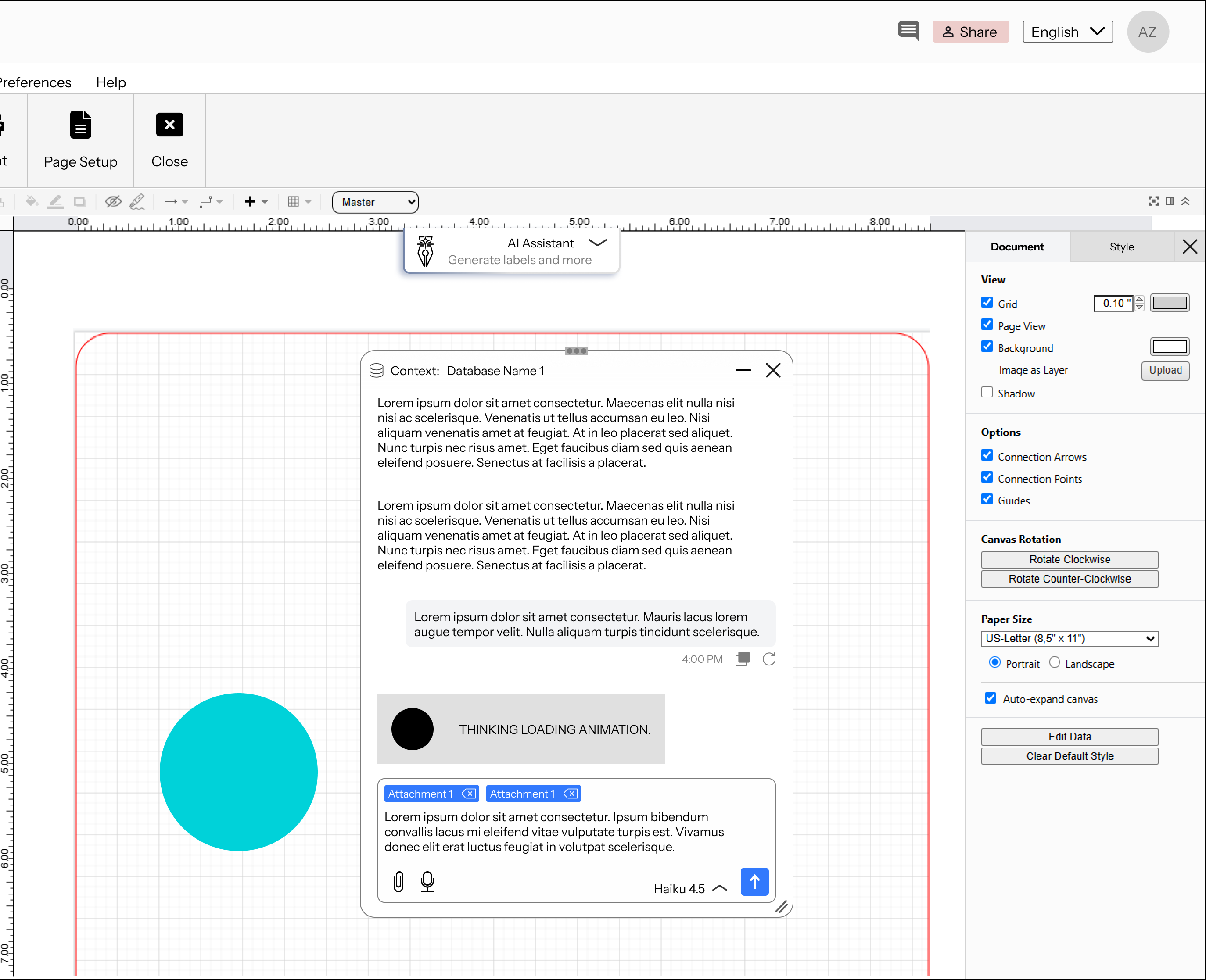 AFTER
A tab and a movable window
The entry point moved to a quiet tab on the canvas. The window can move, resize and minimize, because people need the rest of e-Draw during a chat. Placeholder content.
Two ways in, each with a clear scope
- 1 General chat: the canvas tab opens the window for document-wide requests
- 2 Targeted chat: an AI button on the selection toolbar opens chat beside that object, scoping the request to what's selected
- 3 Context label: the window's top bar names the data the AI is working from
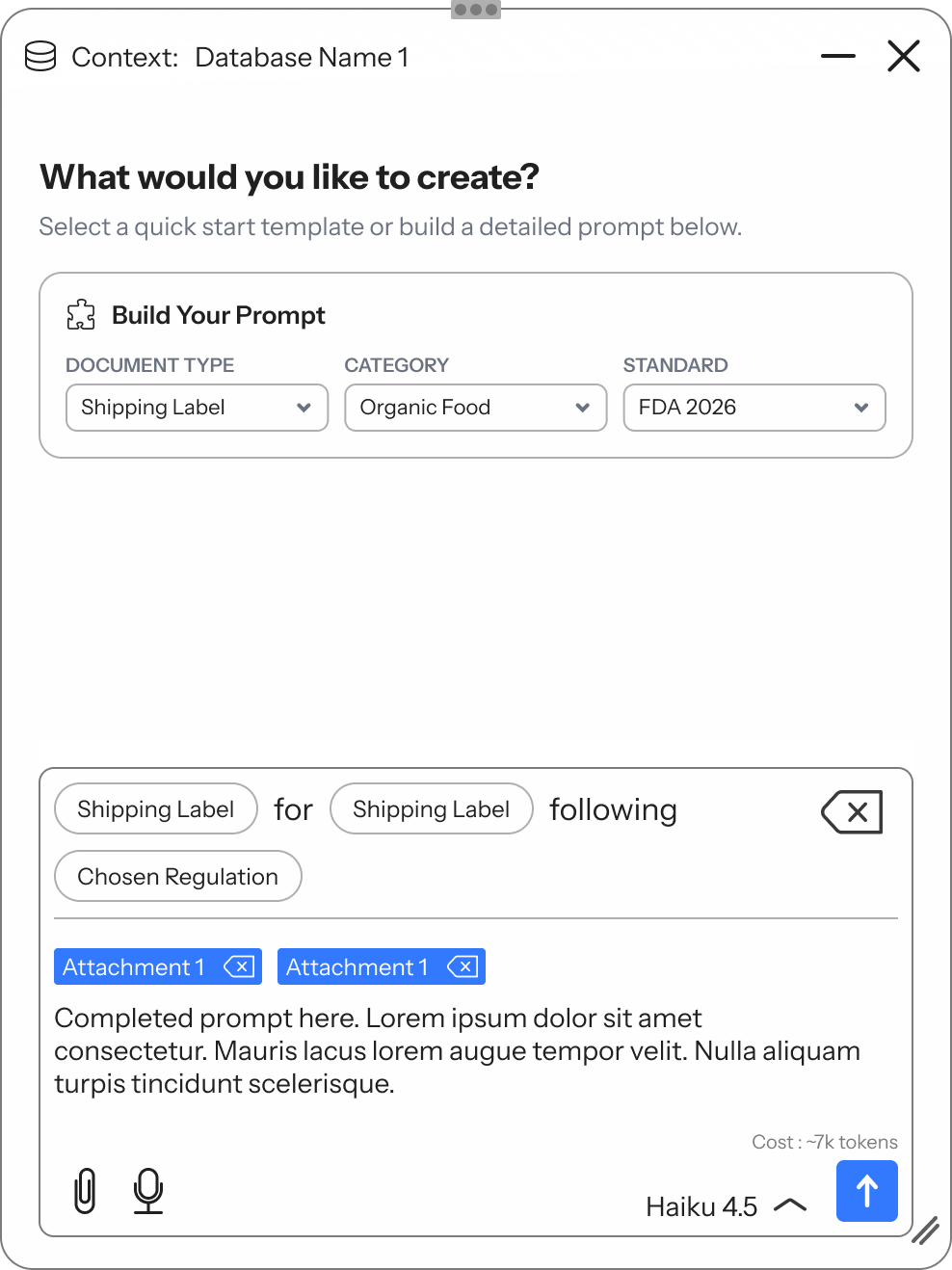
Then the canvas came out. The brief then changed to a product-agnostic component, so I designed without the e-Draw canvas. That led me to a generic template: a standalone chat window with no canvas around it, which I filled with dummy data relating to e-Draw, like a shipping label for organic food following FDA 2026.
Context is visible
Structure beats a blank box
Never a black box
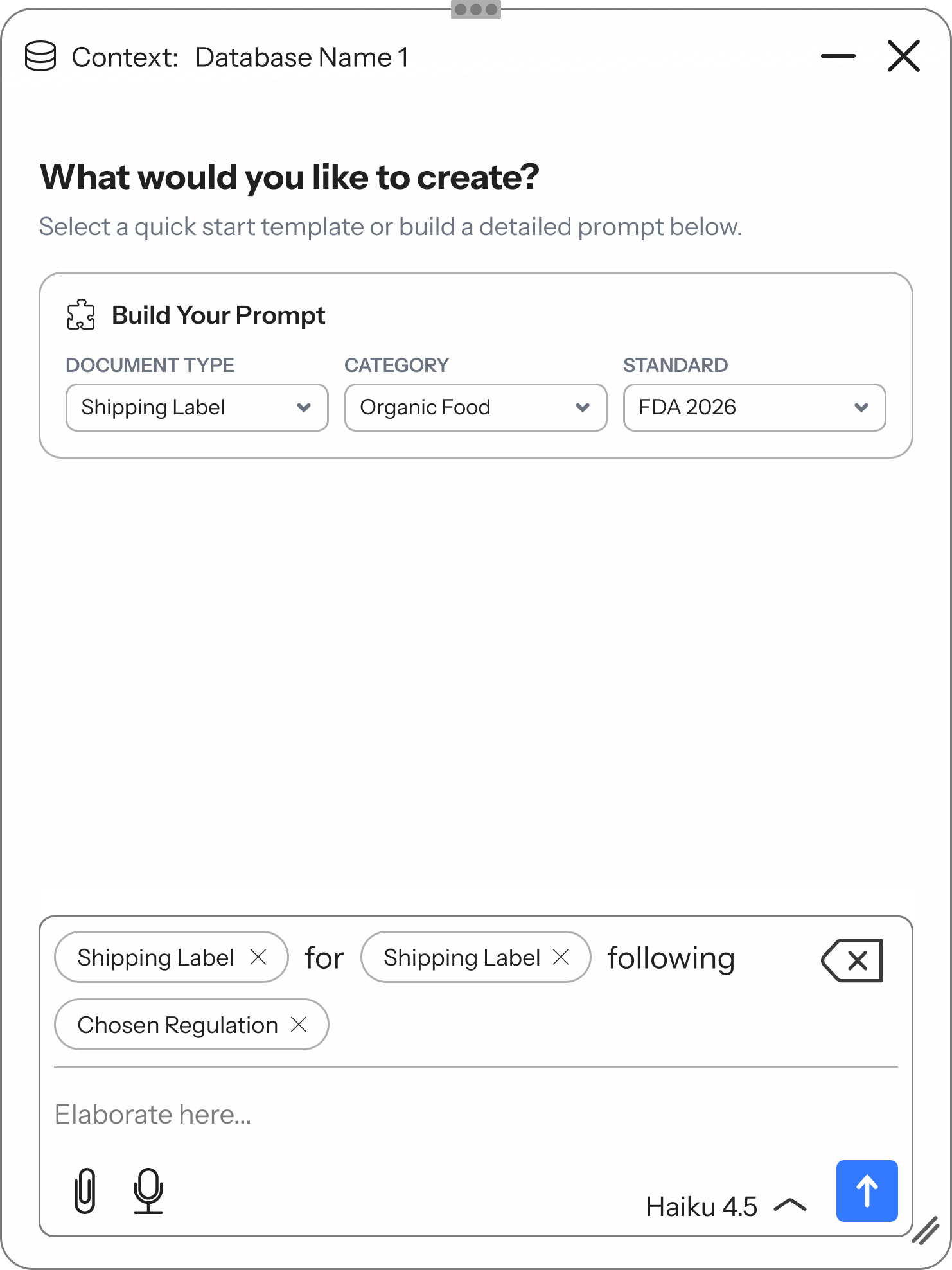
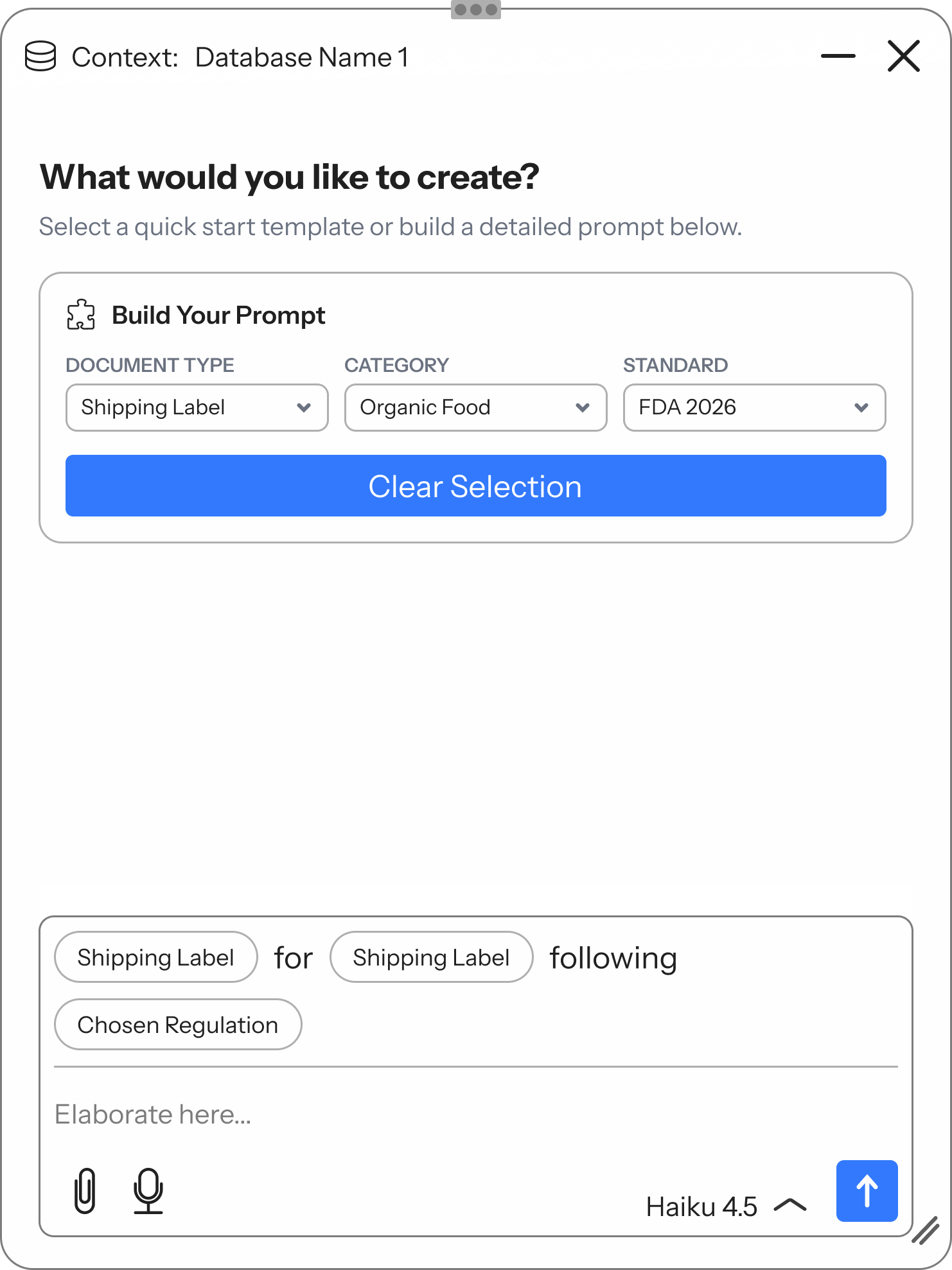 BEFORE
Variant A: press Begin
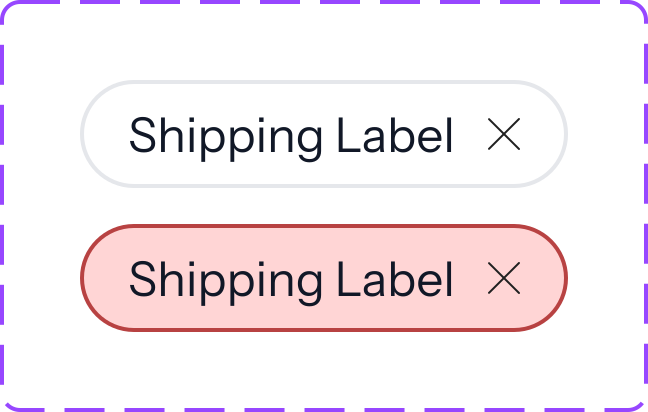
Dropdown choices took a Begin click to reach the composer. Clear Selection then sat up in the builder, away from the pills it removes.
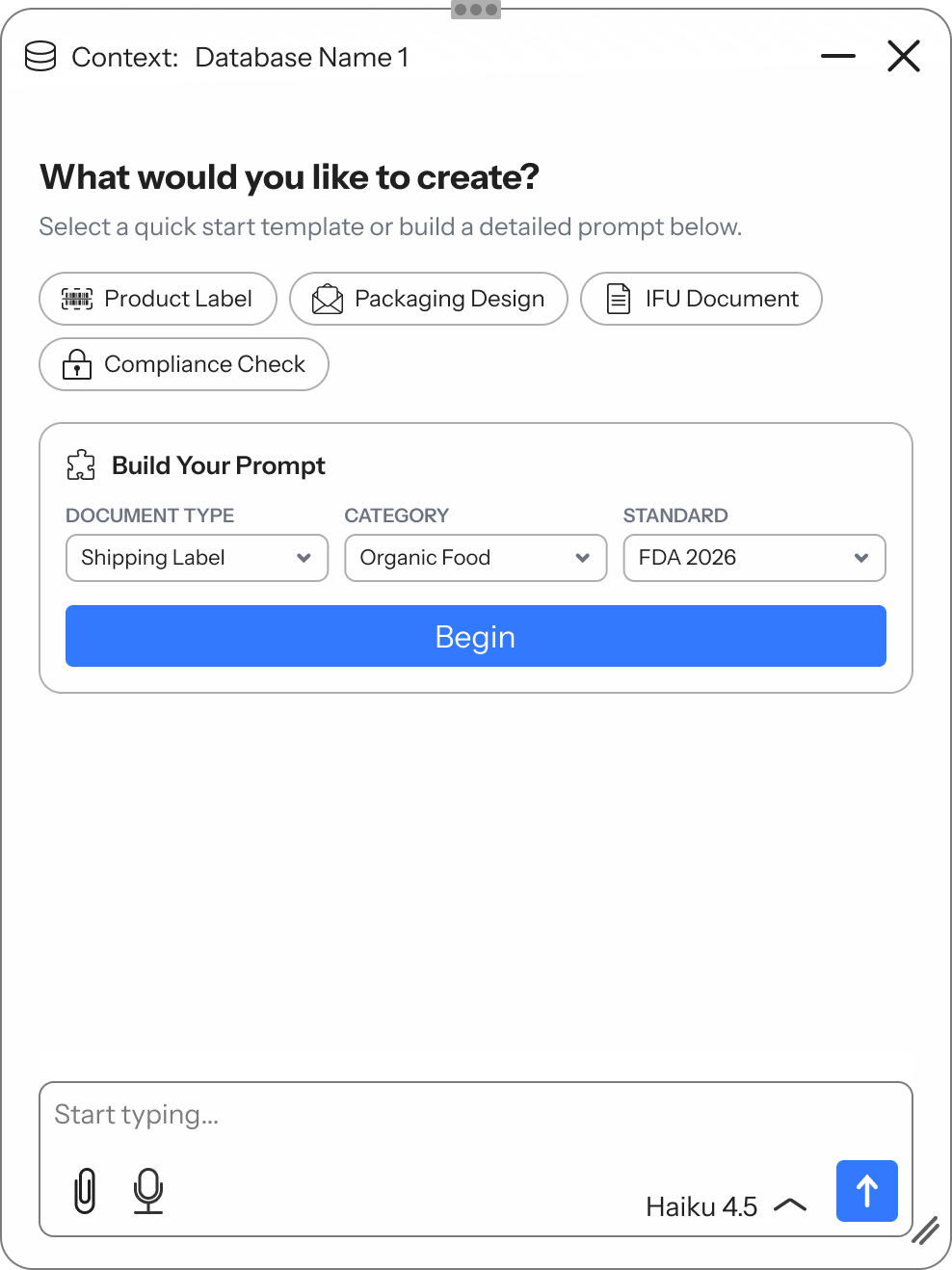
 AFTER
Variant B: write straight through
Choices land in the composer as pills right away, and the clear icon sits next to them. The composer is the one place a prompt lives.
A prompt builder that writes the hard part
- 1 Quick prompts: one-tap starts for common jobs (product label, packaging, IFU, compliance check)
- 2 Build Your Prompt: document type, category and standard dropdowns
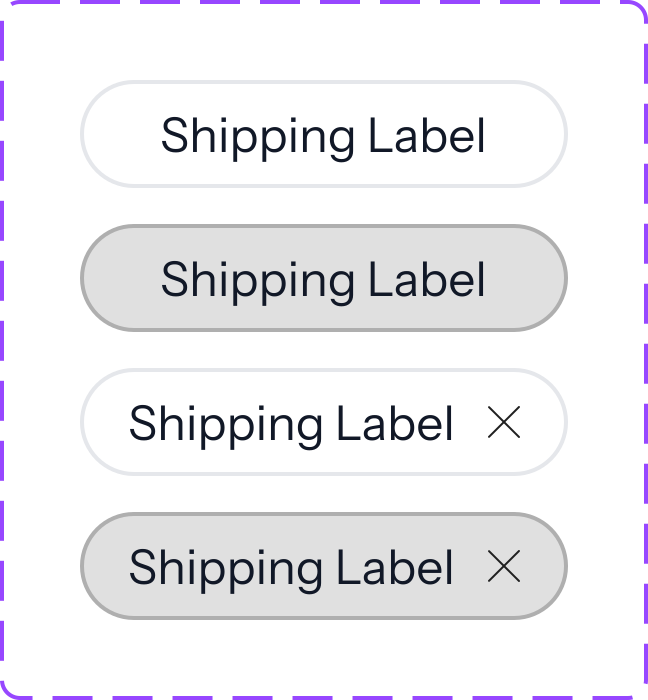
- 3 Editable pills: choices land in the composer as a sentence ("Shipping Label for Organic Food following FDA 2026") the user can still change or extend
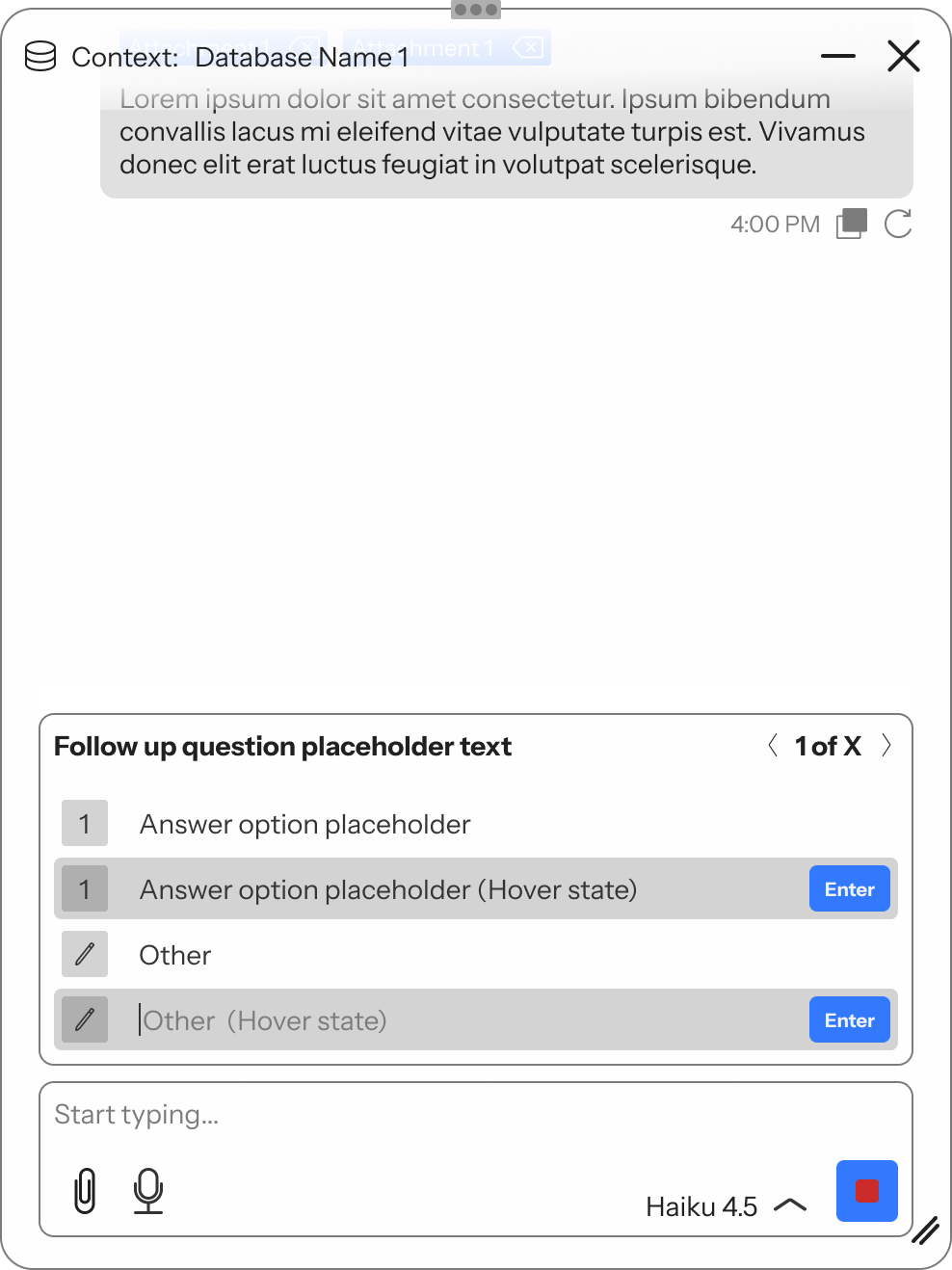
The AI asks instead of guessing
Problem → vague prompts produce confident but wrong output.
Decision → follow-up question cards with numbered answers, an "Other" field and paging (1 of X).
Outcome → missing details get resolved before generation, in a few clicks.
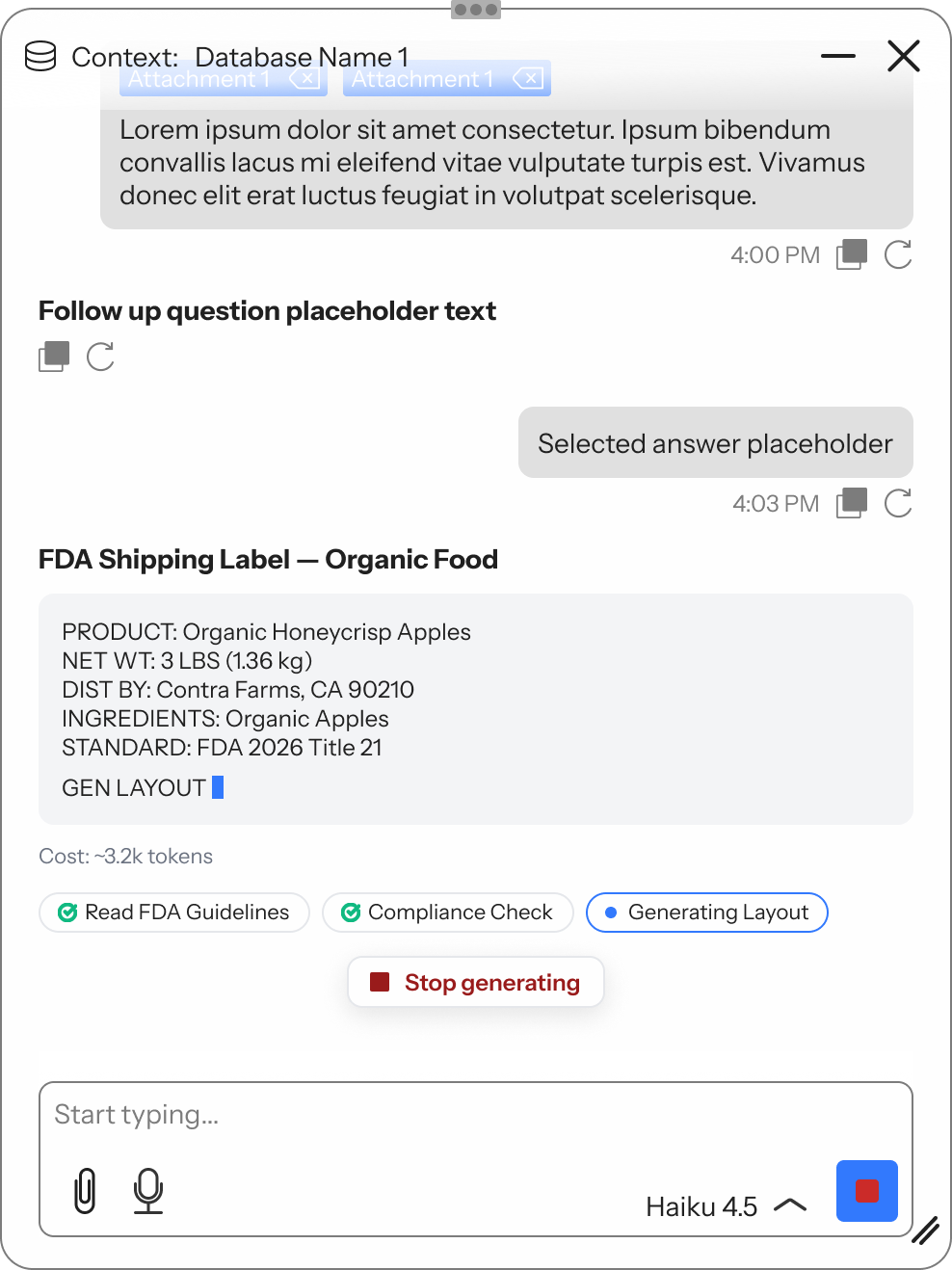
Generation you can see and stop
Problem → long AI tasks feel like a black box.
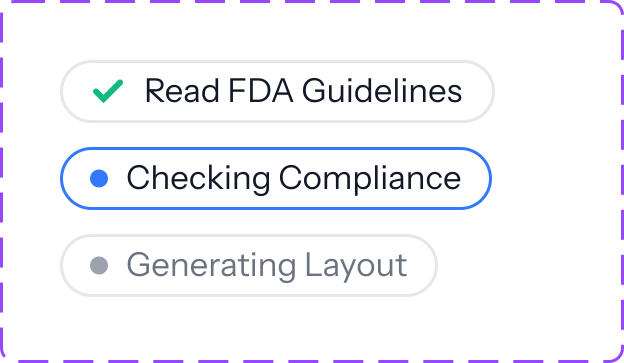
Decision → step chips (Read guidelines → Check compliance → Generate layout), an always-on Stop and token cost before and after.
Outcome → users know what's happening, what it costs and how to bail out.
The smaller states follow the same logic: the user can see what’s happening and stays in control.
Start from structure
Quick prompts for common jobs, or the prompt builder for precise ones. The top bar shows which data source the AI is working from.
Compose, then refine
Builder choices become editable pills in the composer. Attachments and free text add detail, and the token cost shows before sending.
Answer what’s missing
If the request is ambiguous, the AI asks follow-up questions with numbered options, an "Other" field and keyboard support.
Watch it work
Step chips track progress from reading guidelines to generating the layout. The output streams in, and Stop is always available.
Fail gracefully
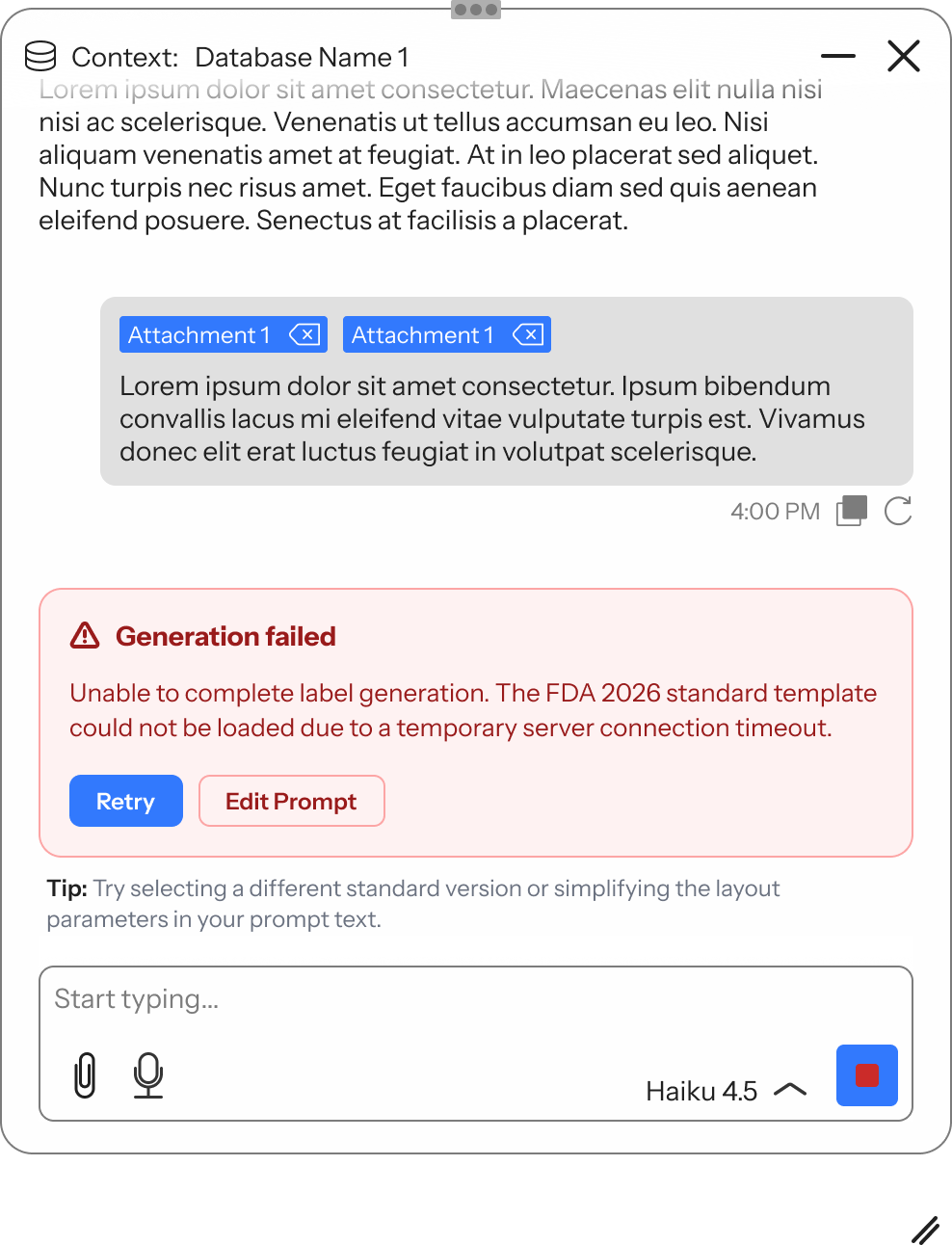
Errors say what went wrong in plain language, with Retry, Edit Prompt and a tip for what to try next.
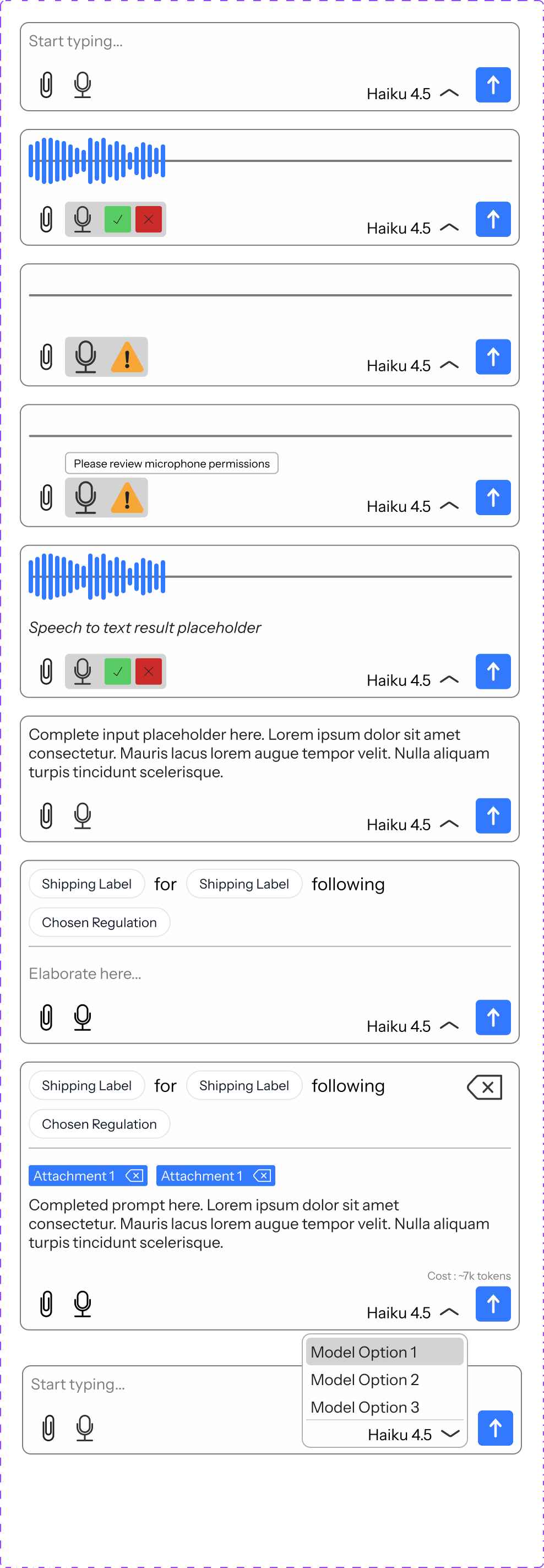
Every piece is product-agnostic. Each product swaps in its own data source, quick prompts and builder fields, and the shell stays the same. Components bind to usage tokens, so products can change signature color and IPM can add a compact density.

None of this has been tested with labeling users yet, and that’s the biggest open risk. Here’s the plan:
Discovery
Usability rounds
Accessibility
Designing a shell for many products meant deciding what stays fixed and what each product gets to change.
Round 1 taught me a demo isn't a product. Round 2 taught me the hardest part of an AI interface here is deciding what it must never do. Rollout starts with e-Draw, where output is a reviewable draft, then IPM and publisher-side eIFU. I'd keep chat out of the clinician-facing viewer for now, because a wrong answer at the point of care could directly affect care.
My plan moving forward is to build a design system, with components living in Storybook, so devs and I can easily collaborate. More and more of my projects end by delivering a reusable component that can be shared across products in the company, and this kit is one of them.